Tile Traveler: a calm, level-based match puzzle for mobile
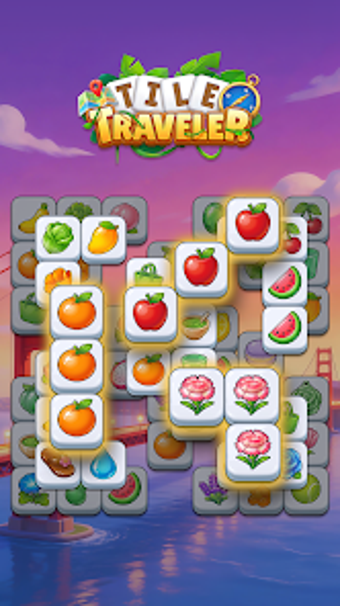
Tile Traveler by STELLASOFT GAMES is a match-three puzzle designed to offer relaxed, short-session play with thoughtful tile-clearing as its aim. Players tap matching tiles to clear boards and move through level-by-level challenges that reward planning rather than speed. The app highlights soft visuals and smooth animations alongside touch controls optimized for mobile devices. It targets casual players and puzzle fans who want a low-pressure, focus-driven mobile pastime.
What kind of puzzle atmosphere greets you?
So, you begin in a quiet board space where the design pushes calm over urgency. The game favors a stress-free setup with no timers or competitive pressure, and the presentation underpins that mood through gentle motion and restrained color palettes. Thus, the experience reads like a short, meditative puzzle session that encourages deliberate choices instead of reflexes.
Does progression add meaningful variety or just more levels?
Progression emphasizes light mechanical changes rather than sheer grind, the app introducing new tile types and modest twists that require altered approaches. Smart boosters let players handle awkward layouts without forcing retries, and level design scales difficulty with those tools in play. Regular content updates add additional puzzles over time, which keeps the set of challenges expanding for repeat engagement.
How do controls and performance affect play on phones?
Touch input is tuned for mobile, so gestures and taps register cleanly on typical Android devices. The title runs smoothly across a range of hardware thanks to optimization for mobile performance, and offline play support means sessions work without a connection. The interface keeps menus minimal, so starting a short puzzle takes only a few taps.
Is the learning curve and replay value solid?
The rules stay simple, which lowers the entry barrier and makes early levels accessible to new players. Strategic depth grows as additional tile types and boosters appear, rewarding pattern recognition and occasional planning. Replay appeal comes from bite-sized levels and the developer’s steady additions, encouraging return sessions for players who enjoy incremental challenge rather than score chasing.
Tile Traveler suits players seeking calm, focused puzzles rather than competitive play
Tile Traveler is a measured choice for casual players who prefer unhurried, contemplative puzzles and short sessions. Its design favors patience and slow problem solving over fast reflexes, which makes it less appropriate for players seeking multiplayer or timed competition. For anyone after a low-pressure daily puzzler that rewards pattern recognition, the app serves that niche well.
Pros
Calming presentation with smooth animations and restrained color palette
Smart boosters and progressing tile types add light strategic depth
Optimized touch controls for reliable mobile input
Offline play lets sessions run without a network connection
Cons
Not aimed at competitive or multiplayer play
Pacing may feel too relaxed for fast-action puzzle fans
Limited to Android platform
Loading…
About permissions
Before downloading, you can take a quick look at the permissions this app may request on your device. App permissions allow certain features to work properly, such as accessing your camera to take photos, your location for maps, or your storage to save files.
In this section, you’ll find a clear and simple overview of the types of permissions the app uses, grouped by their level of sensitivity, along with a visual breakdown to help you understand them at a glance. This way, you can see how the app interacts with your device and decide to download with confidence.
Permissions types
Standard
64%
Sensitive
36%
Permissions distribution
Privacy
45%
Data collected
27%
Data shared
27%
Data safety info
Privacy
5 permissions
Permissions that allow the app to access personal or sensitive information stored on your device, such as location, contacts, camera, or microphone.
android.permission.WAKE_LOCK
Standard
android.permission.VIBRATE
Standard
android.permission.FOREGROUND_SERVICE
Standard
android.permission.REORDER_TASKS
Standard
android.permission.READ_PHONE_STATE
Sensitive
Data collected
3 permissions
Information the app may gather from your device or usage activity to enable features, personalize content, and improve overall performance.
android.permission.ACCESS_NETWORK_STATE
Standard
android.permission.ACCESS_WIFI_STATE
Standard
android.permission.READ_EXTERNAL_STORAGE
Sensitive
Data shared
3 permissions
Information that may be shared with trusted third parties to provide services, support app functionality, or deliver relevant content.
android.permission.INTERNET
Standard
android.permission.POST_NOTIFICATIONS
Sensitive
android.permission.WRITE_EXTERNAL_STORAGE
Sensitive
This report summarises the permissions declared by the app at the time of scanning and groups them into Privacy, Data collected and Data shared. A declared permission shows what the app can access, it does not necessarily mean personal data is collected or transmitted. For full details check the app’s privacy policy and the developer’s clarifications shown below. Softonic generates this report automatically from the package metadata; it is informational and not a substitute for a full security or privacy audit.
Laws concerning the use of this software vary from country to country. We do not encourage or condone the use of this program if it is in violation of these laws. Softonic may receive a referral fee if you click or buy any of the products featured here.